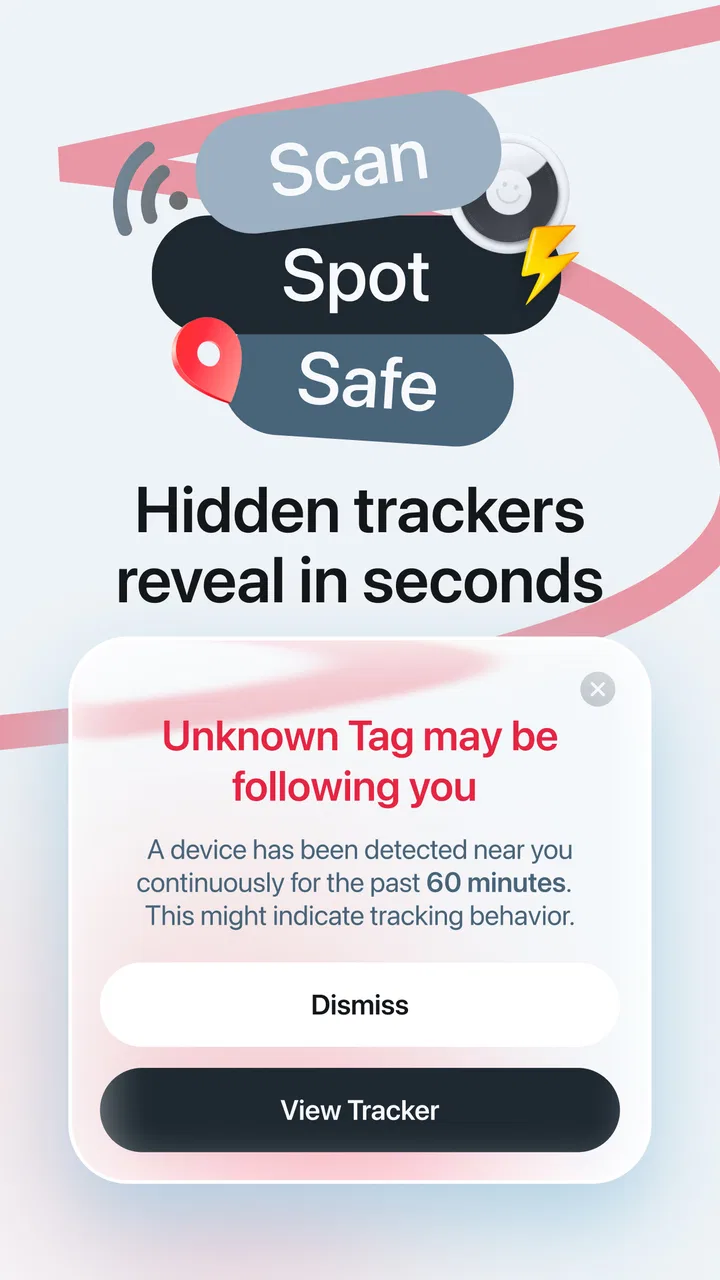
Air Tag Detector: Find & Track
- 4.5
- Rating
- 100.00K
- Installs
- Free
- Price

 Analysis by App-foxy
Finding an unknown tracker is one of those privacy concerns that feels abstract until you notice an unfamiliar alert, hear a sound from a bag, or wonder whether an item near you belongs to someone else. Air Tag Detector: Find & Track is a tools app built around that specific worry. I approached it as a first-time user would: install it, understand what the scan is meant to tell me, and work out what to do with the result instead of treating a detection as automatic proof of danger.
The app is developed by MONIQ TAP., CO LTD and is available free of charge, with optional in-app purchases ranging from $1.99 to $34.99 per item. It has an Everyone age rating, so its subject matter is presented for a broad audience. The important point is that this is not a general phone-cleaning utility or a broad security suite. Its purpose is narrower: helping you look for unfamiliar AirTag tracking in situations where you want an extra privacy check.
What to expect before your first scan
My first recommendation is to set the right expectation. A detector app can help you investigate a concern, but it cannot decide the meaning of every nearby signal for you. An AirTag may be attached to another person’s belongings, traveling with you temporarily, or connected to something you recognize. A result should therefore start a careful check, not end it.
You May Also Like

 Blood Strike: 2.5 Anniversary
Blood Strike’s Loadouts Turn Every Drop Into a Tactical Gamble
A close look at Blood Strike’s custom loadouts: how fast access to signature weapons reshapes its battle royale rhythm, rewards preparation, and narrows the gap between fights.

 Pandora - Music & Podcasts
Pandora’s Music Is Easy to Start, but Harder to Recover
Pandora’s strength is its low-effort path from a seed to a station. Its weak spot is how much confidence it asks you to place in connection, setup, and quiet recovery.

 8 Ball Pool
 Is Built on Rivalries, Rematches, and Routine
A close look at the rivalries, rematches, shared routines, and unanswered safety questions that turn a quick pool match into a persistent mobile community.

 Samsung Music
’s Quiet Strength Is Playing What You Already Own
Its reach comes less from spectacle than from dependable access to a personal library. That simplicity is both the app’s strongest retention engine and its ceiling.

 AccuWeather: Weather Radar
AccuWeather Review: A Quick, Clear Forecast for Everyday Decisions
For everyday plans, the best forecast is the one you can understand quickly. AccuWeather makes rain timing, radar, and local conditions easy to act on, with a few trade-offs.

 Hill Climb Racing
Why Hill Climb Racing Still Turns Crashes Into One More Run
A tiny car, a bumpy hill and one more upgrade: Hill Climb Racing keeps resurfacing because its simple chaos makes every near-miss feel personal.
More From Our News Desk



That distinction matters in everyday places. On public transport, in a café, at an airport, or in a shared office, several devices and belongings can be close together. A nearby tracker is not automatically following you. The useful role of this app is to give you a focused way to look into an unfamiliar possibility rather than relying only on guesswork.
The store summary presents the app as a privacy tool for unknown AirTag tracking, while its short description identifies it as an AirTag detector. In practice, I would treat it as a first-line checking tool. It is most valuable when you have a concrete reason to investigate: a notification you do not understand, a misplaced bag that may have been tagged, or a repeated concern about an object traveling with you.
The app has reached a 4.5 average from around 6,500 ratings, with roughly 241 written reviews and over 100,000 installs. Those figures suggest that many people understand the basic use case, but they should not replace your own judgement about whether the workflow fits your needs. The current version is 3.4, and it runs on Android 8.0 or later.
Who will get the most from it
I see the strongest audience as people who want a dedicated, straightforward check without learning a large security platform. If you travel often, carry valuable luggage, share workspaces, or simply want a repeatable way to investigate an unfamiliar AirTag, the focused design makes sense. It can also be useful for someone helping a less technical family member understand a privacy concern.
The app is less suitable if you expect a complete anti-surveillance system that identifies every kind of tracker, continuously protects you in the background, or replaces the safety tools already built into your phone. Its identity is specific. That focus is a strength when the concern is an AirTag, but it becomes a limitation when your question is about other Bluetooth devices, unknown applications, account security, or physical access to your belongings.
Why a focused detector can be preferable to a broad security app
Usual alternatives fall into a few groups. Your phone’s own safety notifications may be the most convenient option because they are already part of the operating system experience. A Bluetooth scanner can show nearby devices, but raw device names and identifiers are often difficult for a first-time user to interpret. A general security app may cover more topics, yet its extra menus can distract from a simple “is there an unfamiliar AirTag nearby?” check.
Air Tag Detector: Find & Track sits between those choices. It is more focused than a general security package and more approachable than a technical scanner. The trade-off is that a focused tool should not be mistaken for a universal detector. I would use it to investigate an AirTag-related concern, then use the phone’s own safety guidance or appropriate real-world help if the situation remains unclear.
Setting it up without overthinking the process
For a first-time user, the best setup is a calm one. Install the app on a compatible Android device, open it, and read each screen carefully before moving forward. I would avoid tapping through prompts automatically. Privacy-related tools often depend on the phone’s nearby-device capabilities, and understanding what the app asks you to allow helps you distinguish a normal scanning requirement from an unexpected request.
Keep the phone close to the item or area you are checking, but do not assume that standing next to one object proves it is the source. Start with a small, controlled space: your backpack, coat, luggage, or the room where you noticed something unusual. A focused first check is easier to interpret than walking around an entire building while several people and bags move nearby.
If the app presents a scan action, begin with your surroundings as they are. Do not immediately move every object or switch locations. The first pass gives you a reference point. If something appears unfamiliar, you can then repeat the check after separating your own belongings from shared items. This two-stage approach is more useful than treating one scan as a final verdict.
A practical setup routine for luggage
Imagine returning from a trip and feeling that a tracker may have been placed in your suitcase. I would put the suitcase in a quiet room, keep my phone nearby, and check the luggage before mixing it with household bags. I would also inspect obvious compartments, removable pouches, and items borrowed from other people, because an unfamiliar tracker may be attached to something perfectly innocent.
If the result changes when another person’s bag enters the room, that comparison is valuable. It helps separate a signal associated with your luggage from one associated with the environment. This is one of the most useful habits with a detector app: change one variable at a time. Move one bag, repeat the check, and note what changes instead of making several adjustments at once.
What the free download means in practice
You can download the app without paying, but optional purchases are available. I would begin with the basic experience rather than buying anything before understanding how the scanning workflow behaves on your device. A paid option can be worth considering only if it adds something you genuinely need and the price is clear at the point of purchase.
That advice is especially important for a tool you may use occasionally. Someone who checks a suitcase once may have a different value calculation from someone who wants a dedicated privacy check whenever they travel. I would also make sure that any purchase screen is understood before confirming, particularly if you are setting the app up for another person.
Your first meaningful success: turning a scan into an answer
The first successful action is not merely opening the app or pressing scan. It is completing a check that gives you a sensible next step. Choose one personal item, run the scan, and wait for the result rather than repeatedly restarting it. If nothing unfamiliar appears, that is useful reassurance for that particular check, although it is not a guarantee about every object or every future moment.
If the app identifies something you do not recognize, pause before reacting. Ask whether the item could belong to a partner, friend, colleague, hotel, rental service, or piece of borrowed luggage. Check the places where a small tracker could reasonably be attached without damaging anything. The goal is to connect the digital result with a physical object.
A realistic example would be a commuter who notices an unfamiliar tracking concern after leaving work. Instead of scanning the entire apartment repeatedly, I would place the work bag away from other bags, check it, then inspect the coat and any items carried home from the office. If the result follows one object, that object becomes the priority for a closer look. If it disappears when the work bag is isolated, the surrounding environment may have been the source.
This workflow also prevents a common mistake: assuming that a detector has found the person responsible. It has not. A scan can point you toward an unfamiliar tracker, but it does not establish who placed it there or why. If the situation feels threatening, I would prioritize personal safety, avoid confronting someone alone, and contact an appropriate trusted person or local authority.
How to make repeat checks more reliable
Repeatability is more helpful than speed. Use the same room or starting point, keep your own known devices and bags separate, and record which object was present during each check. You do not need a complicated log; a short note such as “backpack only” or “backpack plus coat” can prevent confusion when you compare results.
Another useful tip is to scan before and after a journey when privacy matters to you. A check before leaving establishes what you already carry. A check after arriving can reveal whether an unfamiliar item appeared during the trip. This does not turn the app into continuous protection, but it creates a practical routine for people who regularly move through crowded places.
I would also avoid interpreting a single negative result too broadly. Objects can be stored in different rooms, people can move around, and the situation can change. If your concern is specifically about one bag, keep the bag in a controlled place and repeat the check there. The more controlled the surroundings, the easier the result is to understand.
Common confusion that can make the app feel unreliable
The biggest source of confusion is the difference between “nearby” and “attached to me.” A tracker can be close because another person is close. In a shared home, workplace, vehicle, or public space, the app may be helping you notice a nearby device without proving that it is following you. That is why isolating your belongings is not an optional extra; it is part of interpreting the result responsibly.
Another issue is expecting the app to explain every technical detail in a way that removes all uncertainty. A first-time user may want a simple yes-or-no answer, but real surroundings are messy. If the result is unclear, change the environment gradually and repeat the check. Do not treat a confusing outcome as proof that the app has failed, and do not treat it as proof that you are being tracked.
It is also easy to confuse this app with a general Bluetooth inventory tool. Those tools can be useful for technical users who want broad device information, but they may produce a crowded list that is hard to connect to a physical object. This app’s narrower purpose is easier for a privacy check, while a technical scanner may be better when you are diagnosing your own electronics or investigating a wider range of wireless devices.
When the usual phone safety tools are better
If your phone already gives you a clear, built-in alert about an unknown tracker traveling with you, I would start there. System-level notifications can be more convenient because they are integrated into the device experience. The dedicated app becomes more attractive when you want to perform a deliberate, user-initiated check of a particular bag or room rather than wait for a notification.
Neither option should be treated as a complete answer to a personal safety situation. If you find a physical tracker and feel at risk, the most important next step is not another round of scanning. Move somewhere safe, involve someone you trust, and seek appropriate help. The app can support investigation, but it should not encourage you to take a dangerous action alone.
What to do if you find something you recognize
A positive result is not automatically a problem. You might discover a tracker attached to your own keys, a family member’s luggage, or an item supplied by a business. Once you identify the object and understand why it is there, the privacy question changes. You can then decide whether the tracker should remain, be returned, or be discussed with its owner.
This is where the app is most useful as a conversation starter rather than an accusation tool. Showing that you checked an object can help a household or travel group review what each tracker is for. That simple habit reduces future confusion and makes later scans easier because you know which devices are expected.
The next step after your first check
After using the app once, I would decide whether it belongs in a regular routine. Frequent travelers may keep it available for pre-trip and post-trip checks. Someone with a one-time concern may uninstall it after resolving the issue. Both choices are reasonable. The app’s value depends less on constant use than on whether it gives you a clear, calm process when an AirTag question arises.
If you keep it, create a simple personal rule: check one item at a time, separate known belongings, repeat uncertain results, and connect every digital finding to a physical object. This makes the tool more useful than random scanning. It also protects you from the two opposite mistakes of dismissing a genuine concern or panicking over a harmless nearby tracker.
I would skip this app if your main need is protection from every form of digital surveillance, detailed wireless diagnostics, or an always-on security service. A broader solution may suit those goals better. I would also skip it if you are unwilling to interpret results carefully, because no focused detector can remove the need for context.
For the right user, though, the narrow purpose is appealing. Air Tag Detector: Find & Track gives first-time users a dedicated place to begin when they want to investigate unknown AirTag tracking. Its free entry point, Everyone rating, and support for Android 8.0 or later make it approachable, while the optional purchases mean you should review any paid choice rather than assuming it is necessary.
My final view is that this is best treated as a practical privacy-check companion, not a guarantee and not a replacement for built-in phone safety features or sensible real-world precautions. If you approach it with a controlled scanning routine and realistic expectations, it can turn a vague worry into a more organized investigation. Use the result as evidence to examine, not as a verdict to obey.
FAQs for Air Tag Detector: Find & Track
01What is Air Tag Detector: Find & Track used for?
Air Tag Detector: Find & Track is designed to help you identify unknown Bluetooth trackers that may be traveling with you, including Apple AirTags and other compatible devices. After scanning nearby signals, the app can show detected trackers and provide information that may help you determine whether a device belongs to you or requires further attention. It is intended as a detection aid, not a guaranteed security solution.
02Does Air Tag Detector: Find & Track detect every AirTag or tracking device?
No detection app can guarantee that it will find every tracker in every situation. Results may depend on Bluetooth availability, the tracker’s battery level, distance, signal strength, phone compatibility, and whether the device is actively transmitting. Air Tag Detector: Find & Track may work best when you move around slowly and repeat the scan in different locations. Other tracker brands may also have different technical limitations.
03Does the app need Bluetooth, location, or other permissions?
The app may require Bluetooth access to scan for nearby tracker signals and could request location permission because Android and iOS restrict Bluetooth scanning without it. Permission requirements can vary by operating-system version. Before using the app, review each request carefully and allow only the access needed for scanning. You can change or revoke permissions later through your phone’s settings.
04Is Air Tag Detector: Find & Track free to download and use?
The application may be available as a free download, but some features can be limited by advertisements, in-app purchases, subscriptions, or usage restrictions. Pricing and included tools may change depending on the platform and developer updates. Check the app-store listing before installing and review the subscription terms carefully, especially if a free trial automatically converts into a paid plan.
05What should I do if the app finds an unknown tracker?
Treat a detection as an indication that you should investigate, not as proof of harmful tracking. First, move to a safe public place and repeat the scan to confirm the result. Check your belongings and vehicle, and use the tracker’s identification or sound features when available. If you feel threatened, contact local authorities or a trusted person. Avoid confronting anyone you suspect alone.
Pros
- Quickly scans for nearby Bluetooth trackers and unknown AirTags.
- Simple interface makes the app easy for first-time users.
- Can help identify potential tracking devices in unfamiliar places.
- Useful for checking hotel rooms
- vehicles
- and personal belongings.
- Provides an extra privacy check alongside iPhone safety alerts.
Cons
- Bluetooth scans may detect legitimate trackers belonging to family or friends.
- Results can vary depending on distance
- walls
- and device battery levels.
- Some features may require payment or contain advertising.
- It cannot physically disable
- remove
- or report a suspicious tracker.
- False alarms are possible when nearby Bluetooth devices are misidentified.

Air Tag Detector: Find & Track
Gallery